

Beta
Craft
A coding tool that runs entirely on your Mac.
Craft is a coding tool for macOS, a terminal and a Mac app, that runs on local models. It learns your codebase before the model writes a word, and marks everything it writes with the code it came from.
Beta · Build 12 · November 8, 2026 · Requires macOS 27 and Apple Silicon
Open this page on a Mac to try the full demo.
Craft AgentsAgents by creators who know how to make something.Only on your Mac
Nothing leaves your Mac.
Craft runs open models with MLX on Apple Silicon. Your code, your questions and every answer stay on the machine.
Qwen3-Coder-Next-REAP-48B-A3B-mlx-4bit · on this Mac
Learns the code first
Before each turn Craft pins what the ask touches: the function, its type, its callers and look-alikes, from its code index and a Thread of every project you’ve opened.
Credits its sources
When a turn ends, every name in the reply and on an added line that came from your code gets a brushstroke in its source’s colour. Click one to see the code.
Add fog to the bridge scene, the way I’d write it.
Checks its own work
Plans become checklists measured against the real code, and Craft builds and runs the tests before it calls a change done.
Agents you add
Agents are apps from the Rao store. Install one while Craft runs and it builds on your Mac from its repository, then runs in a process of its own for each call. Name one with $ — $plate draws an architecture plate, $marble tones a photo — and #canvas shows what it makes beside the chat.
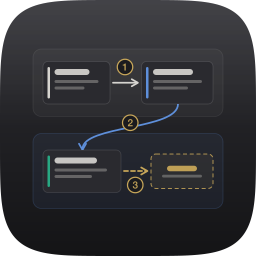 Plate $plateAn architecture plate of a project, drawn from its code.PlateAgent @ 10071ed on GitHub ↗
 Marble $marbleA photo filter on the GPU, sepia first.MarbleAgent @ 4c38be8 on GitHub ↗
A terminal, too
Everything the app does, the craft command does in any project folder, with the same models, index and credit.
~/Developer/Bridge % craft
~/Developer/Bridge % craft -p "where does the depth come from?"
~/Developer/Bridge % craft models list
Getting started
Five steps, all on your Mac. Craft never downloads a model you didn’t ask for.
Install and open Craft
Download the installer, run it, then open Craft from Applications. It needs Apple Silicon and macOS 27.
Add the models
The first time it opens, Craft walks you through two models. It reads this Mac’s memory and suggests the coding model it can hold: Qwen3-Coder-Next 48B on a 48 GB Mac, a smaller Qwen on less. Then it downloads that and voyage-4-nano, the embedding model, into ~/.rao/models. Nothing downloads until you click.
Open a project
Choose a folder or drop one on the window. Craft indexes it the first time, and reads CRAFT.md at the start of every session.
Ask
Type in the composer and press ⇧⏎. $ names an agent the turn must use, @ pins a file, # opens a helper beside the chat. When the turn ends, click a brushstroke to see the code it came from.
Add agents
Signed in with your Rao account, the Agent Store is in Craft’s toolbar. Agents are apps: install one and it builds on your Mac while Craft runs, and a session already open can call it from its next message. Settings › Agents installs them too.
Browse Craft Agents →
Craft keeps itself current: Craft ▸ Check for Updates… fetches each new build. It follows your Mac’s Light or Dark Mode, or holds one in Settings › General.